


Is Office 365 Worth the Subscription Price?

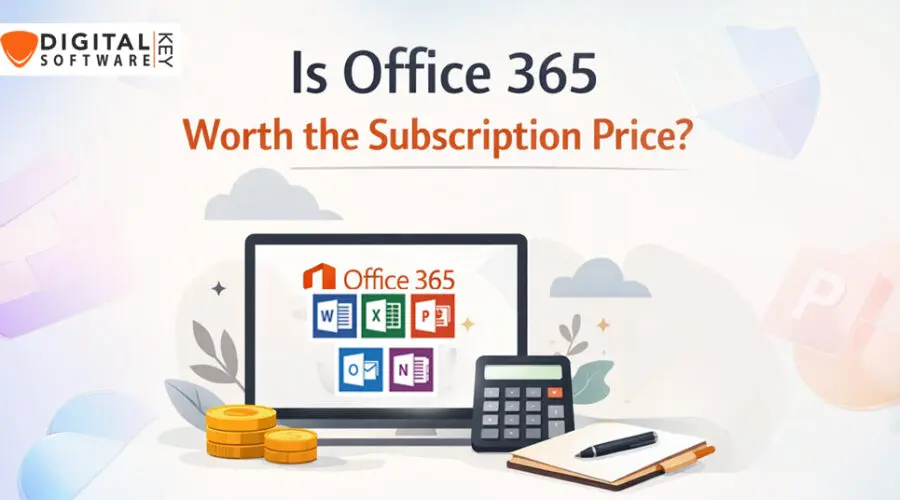
Introduction: Is Office 365 Worth the Subscription Price?
Everyone today needs a reliable office tool. That’s where Office 365 comes in. It’s available through a monthly or yearly fee.
Office 365 includes Word, Excel, PowerPoint, Outlook, and more. You can use it on multiple devices. It works both online and offline. It’s loved by millions around the world. But the real question is, are those features worth the cost?
In this blog, we look closely at Office 365. We check its features, pricing, and benefits. We compare it with other office tools. We’ll also talk about special deals and where you can buy it safely.
We aim to help you decide if Office 365 is right for you. Whether you’re a student, business owner, or casual user, we’ve got you covered. We used simple words, short sentences, and direct points.
Let’s dive in and find out whether Office 365 lives up to the hype.
What is Office 365?
Office 365 is a cloud-based software. It’s made by Microsoft. You get apps like Word, Excel, PowerPoint, Outlook, Teams, and more.
It supports online storage with OneDrive. That means your files are safe and easy to access. It works on phones, tablets, and computers.
Updates come automatically. You always get the newest features. There’s no need to buy a new version every few years. That’s a huge plus.
You also get security features and 24/7 customer support. It works well for individuals, students, and big companies. Microsoft added many improvements in the past few years.
Over time, Office 365 became more than just tools. It became a full suite to handle work and life. You can collaborate online. You can share your work easily.
Everything syncs through the cloud. Life feels smoother with it. And it keeps your work safe and backed up.
Key Features of Office 365
There are many great features in Office 365. Let’s explore the most important ones. First, you get Word, PowerPoint, and Excel. These apps are the best in their class.
You also get email through Outlook. You can manage meetings and calendars too. Microsoft Teams lets you chat and call online. It’s perfect for remote work or school.
OneDrive offers cloud storage. It keeps your files safe. Auto-save keeps you from losing work. Collaboration tools are in every app.
You can work with others in real-time. Multiple users can edit the same file. That’s a big deal for teamwork.
AI features help improve your writing and data management. Smart templates make starting projects easier. Office 365 works even better with Microsoft Edge and Windows.
Security is strong. Microsoft uses encryption and threat detection. You get 1TB of OneDrive storage per user. That’s about 300,000 photos!
There are desktop and mobile versions. That gives you freedom to work anywhere. Online meetings are smooth. You can blur backgrounds or record calls.
These useful tools set Office 365 apart from the rest.
Office 365 Plans Overview
Office 365 offers different plans for everyone. There are personal, family, business, and education plans. Each comes with its own price and features.
The Microsoft 365 Personal plan is for one person. You get all apps and 1TB of storage.
Family plan includes six users. It’s a great deal for small families or roommates.
Business plans include Basic, Standard, and Premium. Features grow with each step. All business plans include Teams, Email, and OneDrive.
Education plans are free for students and teachers. You just need a school email.
Enterprise plans offer advanced security and tools. They’re perfect for large companies. These include up to 500,000 users.
You can pay monthly or yearly. Subscriptions are flexible. You can cancel anytime. No surprise fees.
Each plan gives license use on PCs, Macs, tablets, and phones. That’s very convenient.
You always have the newest updates. So, there’s no need to wait years for new features.
Office 365 for Personal Use
If you want Office 365 at home, the Personal plan is a strong choice. It works best for solo users.
You get 1TB cloud storage. That alone is worth much of the subscription cost. You can install it on five devices. It works on PC, Mac, tablets, and phones.
The Personal plan also comes with Skype. You get 60 minutes of calls per month. That helps if you need international calls.
You can write, create, and organize your life better. Whether working, planning budgets, or writing resumes—Office 365 helps.
For under $70 a year, this plan saves time and effort. It’s more effective than free office alternatives.
You also get AI-powered tools. They offer writing help, better layouts, and data sorting in one click.
If you want peace of mind, Office 365 gives that. Plus, with automatic updates and strong support, you never feel stuck.
That’s why many users love Office 365 for personal use.
Office 365 for Business Use
Office 365 supports big and small businesses. It’s made to help teams work smarter. Businesses use it for chat, email, meetings, and file sharing.
The Business Basic plan includes email and Teams. It’s perfect for remote workers who don’t need desktop apps.
The Standard and Premium plans include desktop apps. They provide advanced security tools too.
Office 365 makes teamwork easy. You can co-edit files with your team from different places.
You can schedule meetings, assign tasks, and share calendars. It works across departments and time zones.
Email is professional with a custom domain. Protection is built-in to fight spam and malware.
You can grow your business faster with the tools in Office 365. Reports, charts, and dashboards help track progress.
The cloud keeps your data safe, backed up, and ready. You can access your data anytime. Just sign in.
Small businesses love its low cost, high value. Big firms love its features and control.
It fits everyone.
Office 365 for Education
Students and teachers also benefit from Office 365. The education version of Office is free with a valid school email.
This gives access to Word, Excel, PowerPoint, OneNote, and Teams. These tools help learning become more engaging.
Microsoft Teams works as a digital classroom. Teachers can create space for group study. Files can be stored and shared easily.
Assignments, notes, and comments stay organized online. Students can collaborate in real-time.
Useful learning tools support all learning styles. You can use voice typing, translate text, and more.
Teachers get better control over their classes with admin tools. They can manage access, share files, and keep classes safe online.
Learning does not stop at school. With mobile apps, students continue learning from anywhere.
Office 365 transforms the way education works today. It brings flexibility, access, and learning all in one.
That makes it a top choice in schools around the world.
Core Benefits of Office 365
Now, let’s look at what makes Office 365 really worth it. First is accessibility. You can work from almost anywhere. You just need a login.
Second is security. Your files are protected. Two-step login and data encryption are standard.
Third is teamwork. You can work with others at the same time. You can share ideas instantly.
Office 365 is always updated. You don’t need to buy new software every few years. That saves time and money.
Support is 24/7. You get peace of mind.
You also get professional tools. That gives your work a polished, top-quality feel.
OneDrive boosts your storage. Skype and Teams improve your communication. Excel helps with numbers. Word helps with writing.
You do more in less time. That adds value to your job or study.
And Office 365 works across all platforms. This makes it flexible and easy to use.
Office 365 vs Traditional One-Time Software
Many people ask: Why pay each year for Office 365? Why not buy Office just once?
Traditional versions like Office 2019 are one-time purchases. They offer Word, Excel, and PowerPoint.
But they don’t get updates. Once you buy it, that’s it.
Office 365 gives you always-updated apps. You never fall behind. That matters if you want more speed and features.
With the one-time version, you pay full price again every time a new one comes out.
Office 365 includes more: cloud, Teams, Outlook, Skype. You don’t get these with Office 2019.
Security updates stop after a few years with one-time versions. That opens the door to hacks.
Office 365 gives monthly improvements. It’s safer, smarter, and more connected.
So, while the cost is ongoing, the value keeps growing.
In the end, Office 365 wins.
Common Issues with Office 365
No software is perfect. Office 365 has some issues too.
First, some users feel it’s costly over time. But compare that to the updates and cloud storage – it adds up.
Second, it needs a stable internet at times. For real-time work or Teams, weak connections can be frustrating.
Third, too many tools can be confusing at first. Some users feel overwhelmed.
Some features need learning time. Office 365 changes often, and people need time to adjust.
Rare login problems may happen. But Microsoft has fast support that solves issues quickly.
Also, mobile versions have limited tools. Big projects still need desktops.
Despite these, most users are happy with it. Good support, updates, and value still lead the way.
Pricing Breakdown of Office 365
Let’s explore the pricing of Office 365 in 2026.
- Personal Plan – About $69.99 per year.
- Family Plan – $99.99/year for six people.
- Business Basic – Starts at $6/user/month.
- Business Standard – About $12.50/user/month.
- Business Premium – $22/user/month.
All come with OneDrive, updates, and apps. Payments can be monthly or yearly. It’s flexible and transparent.
Sometimes, discounts are available online. You can find genuine deals at trusted sellers like DigitalSoftwareKey.
Through them, you can buy Office 365 subscriptions safely and at lower cost.
That makes the pricing even more worth it!
Why Choose DigitalSoftwareKey for Office 365?
One of the best places to buy Office 365 is DigitalSoftwareKey. Why? Because they offer good prices and real products.
They deliver product keys quickly. There’s no waiting. No hidden charges either.
Customer support is fast. If you need help with installation, they assist you step-by-step.
You can also get bulk orders for businesses or schools. This makes it easy and efficient.
They have good reviews from happy buyers. That proves trust.
For best results, trust DigitalSoftwareKey when buying Office 365.
Final Verdict: Is Office 365 Worth It?
So, is Office 365 worth the cost? The answer is yes.
It offers more than basic office apps. You get storage, security, and cloud access. You can use it across many devices.
It becomes better over time thanks to updates. It offers value, flexibility, and strong support.
Whether you’re a worker, student, parent, or boss — Office 365 fits.
And when you buy from trusted vendors like DigitalSoftwareKey, it’s even more worth it.
So yes, Office 365 earns its spot in your digital toolbox.
FAQ’s
Q1: Is Office 365 free?
No, it’s a paid subscription. But students and schools may get it free with a valid email.
Q2: Can I use Office 365 without internet?
Yes, you can work offline. Your work syncs once you’re online again.
Q3: How many devices can use one Office 365 license?
Personal plans work on up to five devices. Family plans support six users.
Q4: What apps come with Office 365?
You get Word, Excel, PowerPoint, Outlook, OneDrive, Teams, and more.
Q5: Where is the best place to buy Office 365?
You can buy it from DigitalSoftwareKey for good price and real support.
Thanks for reading this full guide on “Is Office 365 Worth the Subscription Price?” We hope it helped you.





22 thoughts on “Is Office 365 Worth the Subscription Price?”
Comments are closed.