

Windows 11 vs Windows 10 Productivity Features

Introduction
The debate between Windows 11 vs Windows 10 is more relevant than ever. After that, no more security updates. No more patches. Your PC becomes vulnerable. So, the choice matters.
Productivity is the key here. We all want to work faster. We want fewer clicks. We want smoother multitasking. This article dives deep into Windows 11 vs Windows 10 productivity features. We will compare them side by side. We will look at the interface. We will check performance. We will explore new tools.
By the end, you will know which OS fits your work style. You will also find a great place to get your Windows license. Let’s begin this Windows 11 vs Windows 10 journey.
Interface and Design: Fresh vs Familiar
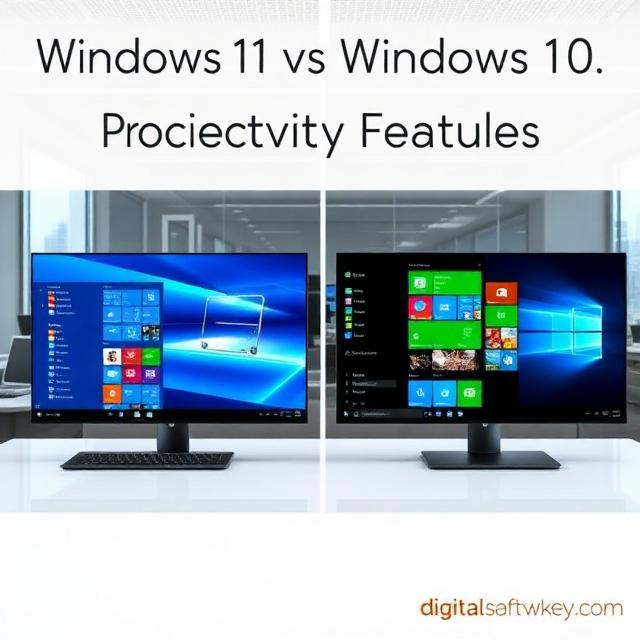
The first thing you notice in Windows 11 vs Windows 10 is the look. Windows 10 feels traditional. The Start menu sits on the left. The taskbar is straightforward. It is familiar. It is comfortable.
Windows 11 changes everything. The Start menu moves to the center. The taskbar looks cleaner. Windows have rounded corners. The overall design feels modern. It is more consistent.
But does this help productivity? For some, yes. The centered Start menu reduces mouse travel. Your eyes focus on the center of the screen. For others, the change is confusing. They prefer the old layout.
However, Windows 11 lets you move the taskbar back to the left. So, you get the best of both worlds. The interface in Windows 11 vs Windows 10 is a matter of taste. But Windows 11 offers more polish. It feels like a modern OS. Windows 10 feels dated now.
Start Menu and Taskbar: Evolution or Revolution?
The Start menu is the heart of Windows. In Windows 11 vs Windows 10, this is a big difference. Windows 10 has Live Tiles. These tiles show dynamic information. Weather, news, and calendar updates appear right there.
Windows 11 removes Live Tiles. Instead, it has a grid of pinned apps. Below that, there is a “Recommended” section. This shows recent files and apps. It is simpler. It is cleaner.
Which is better for productivity? Windows 11’s Start menu is less cluttered. You find apps faster. The search bar is more prominent. It works better. But some users miss the Live Tiles. They liked seeing updates at a glance.
The taskbar also differs. Windows 10 has a wide search bar. It takes up space. Windows 11 has a search icon. It saves space. This gives you more room for pinned apps. In the Windows 11 vs Windows 10 battle, Windows 11 wins on space efficiency.
Snap Layouts and Snap Groups: Multitasking Made Easy
This is where Windows 11 vs Windows 10 shows a clear winner. Windows 10 has Snap Assist. It lets you snap windows to the sides. You can have two apps side by side. It works fine.
Windows 11 introduces Snap Layouts. Hover over the maximize button. You see different layouts. You can snap windows into halves, thirds, or quarters. You can arrange four apps on one screen.
Snap Groups take it further. They remember your snapped windows. You can switch between groups easily. This is a huge productivity boost.
Consider this scenario. You are writing a report. You need a browser, a document, and a spreadsheet. In Windows 10, you drag and resize. It takes time. In Windows 11, you pick a layout. Three clicks, and you are done. The Windows 11 vs Windows 10 comparison clearly favors Windows 11 for multitasking.
Virtual Desktops: Organize Your Workspace
Both Windows 10 and Windows 11 have virtual desktops. But they are not the same. In Windows 11 vs Windows 10, the difference is in customization.
Windows 10 lets you create multiple desktops. You can switch between them. That is about it.
Windows 11 lets you customize each desktop. You can set different wallpapers. You can give them names. You can reorder them. This helps you separate work and personal tasks.
For example, Desktop 1 is for work. It has Word, Excel, and Outlook. Desktop 2 is for personal use. It has Spotify, Chrome, and email. You switch between them with a swipe. This keeps you focused. It reduces clutter. In the Windows 11 vs Windows 10 productivity race, Windows 11 offers better desktop management.
Performance and Speed: Which OS Is Faster?
Performance is critical for productivity. In Windows 11 vs Windows 10, both are fast. But Windows 11 has an edge.
Microsoft claims Windows 11 is up to 2.3x faster than Windows 10. It has better memory management. Boot times are quicker. Battery life is improved for laptops.
Benchmarks show Windows 11 performs better on modern hardware. Single-thread performance improves by 2% to 8.2%. Multi-thread performance gains reach 5.8%. Chrome runs about 10% faster.
However, the performance gap is small on older PCs. Windows 10 might feel smoother on old hardware. But if you have a modern PC, Windows 11 is faster. The Windows 11 vs Windows 10 performance comparison depends on your hardware.
Focus Sessions: Stay on Task
Staying focused is hard. Distractions are everywhere. Windows 10 has Focus Assist. It silences notifications. It helps you concentrate.
Windows 11 adds Focus Sessions. This is built into the Clock app. It uses the Pomodoro technique. You work for a set time. Then you take a break. You can set goals. You can track your progress.
This is a simple but powerful tool. It helps you stay productive. It is perfect for students and professionals. In Windows 11 vs Windows 10, this is a unique feature. Windows 10 does not have it.
Widgets: Information at a Glance
Widgets are back in Windows 11. They sit on the taskbar. You click to open them. They show weather, news, calendar, and more.
Windows 10 has a News & Interests panel. It is similar but less customizable. Windows 11 widgets are more interactive. You can personalize them. You can add or remove widgets.
For productivity, widgets save time. You check the weather without opening a browser. You see your next meeting without opening Outlook. This small feature adds up. In the Windows 11 vs Windows 10 comparison, widgets give Windows 11 an advantage.
Clipboard History and Emoji Picker: Small but Useful
Both OSes have a clipboard history. Press Win + V to see it. You can copy multiple items. You can paste them later. This is a huge time-saver.
Windows 11 improves the emoji picker. It has more options. It is easier to use. You can find symbols and GIFs too. This might not seem important. But for quick communication, it helps.
In Windows 11 vs Windows 10, these small tools are refined. They work better. They are more accessible. Productivity is about the little things. Windows 11 gets them right.
Security: Protect Your Data
Security is part of productivity. A compromised PC stops work. Windows 10 has good security. It has Windows Defender, BitLocker, and Windows Hello.
Windows 11 raises the bar. It requires TPM 2.0. It requires Secure Boot. These are hardware-based security features. They protect against modern threats.
Windows 10 does not require these. So, older PCs are less secure. Windows 11 offers better protection. For business users, this is critical. In the Windows 11 vs Windows 10 security comparison, Windows 11 is the safer choice.
File Explorer: Tabbed Browsing
File Explorer is where we manage files. Windows 10 has a basic File Explorer. It works. It gets the job done.
Windows 11 adds tabs to File Explorer. You can open multiple folders in one window. This is like a web browser. It keeps your desktop clean. You switch between folders easily.
This is a major productivity boost. No more cluttered taskbar. No more multiple windows. Tabs make file management faster. In Windows 11 vs Windows 10, this is a clear win for Windows 11.
Built-in Apps: Smarter Tools
Windows 11 updates its built-in apps. Notepad is smarter. It has a dark mode. It remembers unsaved content. Paint has new features. Sound Recorder has a new design.
These might seem minor. But they improve daily work. You spend less time fighting the tools. You spend more time creating.
Windows 10 apps are older. They lack these updates. In the Windows 11 vs Windows 10 app comparison, Windows 11 offers more value. The apps are modern and efficient.
Gaming Features: Not Just for Gamers
Windows 11 has gaming features like Auto HDR and DirectStorage. These improve graphics and loading times. But they also help productivity.
DirectStorage loads assets faster. This speeds up large applications. It helps with data-heavy tasks. Video editors benefit. Data analysts benefit.
Windows 10 does not have these features. They are exclusive to Windows 11. So, if you work with large files, Windows 11 is better. The Windows 11 vs Windows 10 productivity comparison includes these hidden benefits.
Update Management: Less Interruption
Windows updates are annoying. They interrupt your work. Windows 10 has big updates. They take time. They force restarts.
Windows 11 has smaller updates. They are more efficient. They install faster. You have more control over scheduling.
You can pause updates for up to 35 days. You can delay feature updates for a year. This is huge for productivity. No more unexpected restarts. No more lost work. In Windows 11 vs Windows 10, Windows 11 respects your time better.
Hardware Requirements: The Catch
There is a catch with Windows 11. It has strict hardware requirements. You need TPM 2.0. You need a compatible processor. Many older PCs cannot upgrade.
Windows 10 runs on almost anything. So, if you have an old PC, you are stuck. You cannot enjoy the new features. You cannot get the security updates after 2025.
This is the deciding factor in Windows 11 vs Windows 10. If your PC supports Windows 11, upgrade. If not, consider a new PC. Productivity depends on modern hardware. Old hardware slows you down.
Conclusion
The Windows 11 vs Windows 10 productivity comparison shows a clear trend. Windows 11 is better for modern work. It has Snap Layouts. It has Focus Sessions. It has better performance. It has stronger security.
Windows 10 is still good. It is stable. It is familiar. But it is old. Support ends soon. You will miss out on new features.
So, what should you do? Check your PC compatibility. If it supports Windows 11, upgrade. You will see a productivity boost. You will work faster. You will work smarter.
Need a genuine Windows license? Look no further. DigitalsoftwareKey offers authentic Windows 11 Pro keys. They are affordable. They are instant. They are reliable. Upgrade today and unlock the full potential of Windows 11. Your productivity will thank you.
Frequently Asked Questions
Q1: Is Windows 11 really more productive than Windows 10?
Yes, Windows 11 offers better multitasking with Snap Layouts and Snap Groups. It also has Focus Sessions, better virtual desktops, and improved performance on modern hardware. These features make daily work faster and more organized.
Q2: Can I still use Windows 10 after 2025?
Yes, but it is not recommended. Microsoft will stop providing security updates after October 14, 2025. Your PC will become vulnerable to malware and attacks. For safety, upgrade to Windows 11.
Q3: Will my old PC run Windows 11?
Not all PCs can run Windows 11. It requires TPM 2.0, Secure Boot, and a compatible 64-bit processor. Use Microsoft’s PC Health Check tool to test compatibility. If your PC fails, consider getting a new one.
Q4: Is the Windows 11 upgrade free?
Yes, the upgrade from Windows 10 to Windows 11 is free. You can download it through Windows Update. However, you need a genuine Windows 10 license to qualify.
Q5: What happens if I don’t upgrade to Windows 11?
Your Windows 10 PC will keep working. But you will not get security updates after October 2025. Over time, your system will become insecure. New software might stop supporting Windows 10. It is best to upgrade when possible.