Microsoft Office 2021 Professional Plus for Windows – Full Version


Microsoft has always been a leader in productivity tools. One of its top products is Office 2021 Professional Plus for Windows. This version brings power-packed tools to users. It is simple to use and fast to install. It works well on most Windows PCs. You can do more in less time with it. Whether you’re a student, a pro, or a business, it fits your budget. Microsoft added new tools and clean looks in this version. Users love the ease and speed it offers.
Office 2021 Professional Plus for Windows is a full version. It is not a trial or limited version. You own it once you buy it. There is no monthly bill like Microsoft 365. This version runs offline too. That means you do not need the internet all the time. Many people prefer a one-time buy over a cloud-based service. This product was made for those people.
Installing is quick and simple. All you need to do is get the key, download the software, and activate it. And that’s it! Your Office is ready to use. In this article, we will take a deep look into this tool. We will show features, benefits, tools, and more. Let’s explore everything you need to know about Office 2021 Professional Plus for Windows.
What is Office 2021 Professional Plus for Windows?
Office 2021 Professional Plus for Windows is the latest full version of Microsoft Office. It includes top apps like Word, Excel, PowerPoint, Outlook, and Teams. Other pro tools such as Access and Publisher are also included. It is made for both work and home use. Once you install it, you can use it forever without paying again. It comes with powerful new features. These help you in tasks like writing, accounting, presenting, emailing, and more.
Unlike other versions, this one runs offline. You do not need to log in to the cloud. That’s a good thing for people who like working without internet. Updates are less frequent, which means fewer bugs once installed. You also get fewer distractions. So, if you’re tired of online Office, this is your solution. The user-friendly layout makes it easy to shift from old versions.
With Office 2021 Professional Plus for Windows, you can stay focused all day. It’s fast, smooth, and secure. You will see fewer lags and more results. Companies and students love this version. It provides full control and real value for your money. The new version, though improved, still feels familiar, which users appreciate.
Key Features of Office 2021 Professional Plus for Windows
This edition comes loaded with useful tools. Let’s break them down one by one. Word helps you write better and faster. With its smart grammar check, you can fix issues right away. Excel lets you manage data like a pro. It supports more data types and better charts. PowerPoint offers clean designs. You’ll love the new slide transitions too.
Outlook keeps your mail and meetings in sync. It also protects against spam and threats. Access allows you to manage business databases. Publisher is great for flyers and brochures. Teams is included for quick chats and meetings.
Office 2021 Professional Plus for Windows also brings speed. It takes fewer seconds to open apps. It runs well even on older PCs. The focus mode in Word helps you work distraction-free. Excel now supports XLOOKUP and dynamic arrays. You’ll save time with these.
PowerPoint has a great tool called Presenter Coach. It guides you to improve your speaking. These tools are all bundled with no extra fees. All updates are new and useful, not forced. These updates are based on user needs, not just trends.
System Requirements for Office 2021 Professional Plus for Windows
Before buying, it’s good to know if your PC can run this version. The good news is – the system needs are not high. You don’t need to buy a new machine for it. If your PC runs Windows 10 or Windows 11, it will work well.
📌 Minimum Requirements Include:
- OS: Windows 10 or 11
- CPU: 1.6 GHz or faster; 2-core
- RAM: 4 GB or more
- Disk Space: 4 GB of free storage
- Display: 1280 x 768 resolution
- Graphics: DirectX 9 with WDDM 2.0 driver
That’s mostly all current PCs. This means you can enjoy Office 2021 Professional Plus for Windows without a hassle. Make sure your system is updated. The newer the drivers, the smoother the Office apps will run. It’s a smart way to future-proof your setup.
Complete List of Apps in Office 2021 Professional Plus for Windows
This full version includes a full set of apps. You don’t need to pay extra for any. What’s in the box? Take a look below.
✅ Included Applications:
- Microsoft Word
- Microsoft Excel
- Microsoft PowerPoint
- Microsoft Outlook
- Microsoft Access
- Microsoft Publisher
- Microsoft Teams
- OneNote
Each tool is ready to go right after setup. There’s no waiting or extra login steps. All apps work offline. Updates do not change the way they look or feel. That means less stress when opening the app. You won’t have to “relearn” how to use them.
What’s New in Office 2021 Professional Plus for Windows
Let’s talk about cool new stuff. The 2021 version brings a fresh design. Icons are neat, colors are fresh, and menus are clean. There is a new dark mode for all apps. You can even set themes per app.
Smart features have been added as well. For example, Excel now supports the LET function. It’s perfect for calculations. Word’s Line Focus tool makes reading easier. PowerPoint’s Slide Show tab has been renamed. It is now simpler to find common tools.
More good news: it runs faster. You will notice apps opening in seconds. No more loading screens. Outlook also handles email faster with fewer crashes.
Office 2021 Professional Plus for Windows brings quality. It removes clutter and adds smart tools. You won’t miss the cloud as everything you need is baked in. From pure performance to peace of mind, it delivers.
Office 2021 vs Office 365: What’s the Difference?
Here’s where many users are confused. Should you get Office 2021 or Microsoft 365? Let’s break it down simply.
Office 365 is a cloud-based service. You pay for it monthly. It updates often with internet use. Office 2021 Professional Plus for Windows is a one-time buy. You pay once and use it forever. No bills, no auto-renewals.
Office 365 offers more online tools. But the truth is many users don’t use them. Most people just need Word, Excel, and PowerPoint. That’s why Office 2021 makes sense. It’s faster, easier, and more stable.
If you want control, go with Office 2021 Professional Plus for Windows. It respects your time and budget. You keep what you buy. No cloud logins. No fear of losing your data.
Benefits of Using Office 2021 Professional Plus for Windows
Let’s look at the clear gains. First, it’s easy to buy and own. Second, you keep your data safe on your device. Next, it costs less over time. Also, apps work even during power outages or Wi-Fi downtime.
The layout is very familiar. So you don’t need to learn new tools. You can stay focused and productive. There are no distractions or ads in this version.
Speed and stability are also big pluses. Apps run buttery smooth. Files open quick. You won’t see lag even with many tasks open. This makes it perfect for office and remote work.
It also solves many user pain points. Constant cloud syncing, login errors, and file freezes are now gone. With Office 2021 Professional Plus for Windows, you just work.
How to Install Office 2021 Professional Plus for Windows
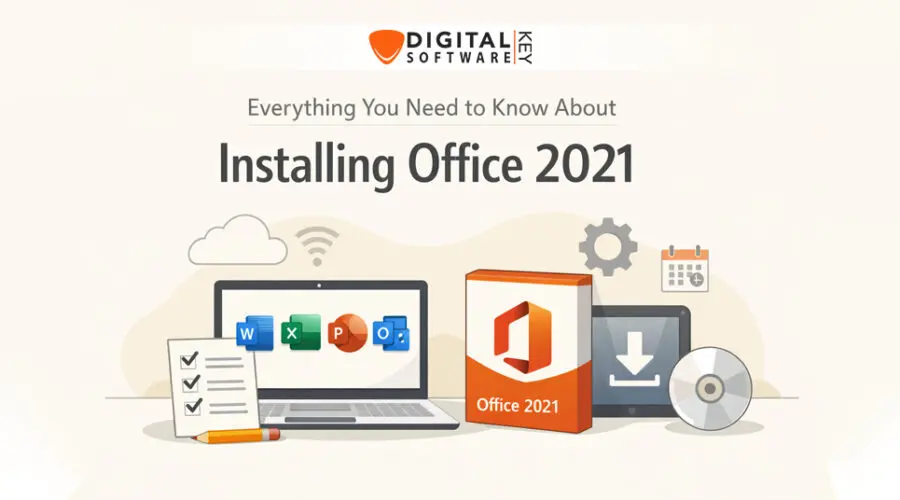
Installing is simple. First, buy the product key from a trusted site. Then download the installer. Double-click the file. Follow the steps on screen. Enter the key when asked. That’s all.
No need for a tech expert. The software guides you. In 5–10 minutes, it’s ready. If you bought from DigitalsoftwareKey, your key comes instantly. It also includes friendly support.
Once installed, restart if needed. Then open Word or Excel to check. You’re now ready to use all tools! Remember to keep the key safe. Save it in email or print it.
Best Place to Buy Office 2021 Professional Plus for Windows
You can buy from many sites. But not all are safe. Always pick a verified digital software store. We recommend DigitalsoftwareKey for top service. They offer legit keys, not gray-market ones.
What makes them best? You get instant delivery, full support, and secure payments. No hidden fees. No delays. They also offer help if you face setup issues. It’s a smooth, happy buying experience.
Many users rate them 5 stars. For peace of mind, choose DigitalsoftwareKey. They deliver what you need with no surprises.
Office 2021 Professional Plus for Students and Professionals
Students love the simple design. It helps them write faster, make slides, and do math with ease. No internet means no distractions. Teachers also trust it for daily work.
Professionals use it to create reports, plans, and financial sheets. It’s reliable and always ready. Business owners like it because it saves time and money.
Whether you are in school or working full time, you can use Office 2021 Professional Plus for Windows daily. With no bugs and full speed, your tasks flow smoothly.
How to Upgrade from Office 2016 or 2019
Upgrading is simple. You only need to uninstall the old version first. Then install the new one. Use your new product key to activate.
Upgrading brings better speed, new tools, and modern design. An easy upgrade lets you enjoy the latest features without buying a new PC.
Office 2021 Professional Plus for Windows is light on resources. Even old laptops run it well. So it’s a smart choice today.
Potential Issues and How to Fix Them
Every software may face issues. Luckily, most Office 2021 problems have easy fixes. If Excel won’t open, restart your PC. Still stuck? Run “Repair” under Programs in your Control Panel.
Activation error? Ensure the key matches your system. Always buy from trusted sellers like this verified domain. That ensures your key is safe.
Slow speed? Clear cache and unused add-ons. You’ll see an instant boost. The support team at DigitalsoftwareKey can also help if needed.
FAQ’s
Q1: Is Office 2021 Professional Plus for Windows a one-time purchase?
Yes, it is. You pay once, and it’s yours for life. No extra monthly fees.
Q2: Can I install it on more than one PC?
One license is for one PC. For more PCs, buy another key.
Q3: Does it need internet to work?
No. It works offline after installation. Internet is only needed during setup.
Q4: Is it better than Office 365?
Yes, if you want control, speed, and no monthly charges.
Q5: Will I get updates?
You get security updates, but not feature updates like Office 365.
Final Words: Why Choose Office 2021 Professional Plus for Windows
This version is perfect for users who want peace, speed, and control. It offers all pro tools in one clean bundle. No ads, no cloud logins, no monthly bill. You get what you pay for — once.
It beats free tools in speed and features. It beats Office 365 in value. And it’s easier on your system too. Whether at home, school, or office — it just works.
Buy Office 2021 Professional Plus for Windows from trusted sellers like DigitalsoftwareKey. You get fast service and real support. Make the smart move today.