


How Fake Software Steals Your Data: A Cybersecurity Perspective

Introduction: What Is Fake Software and Why It Matters
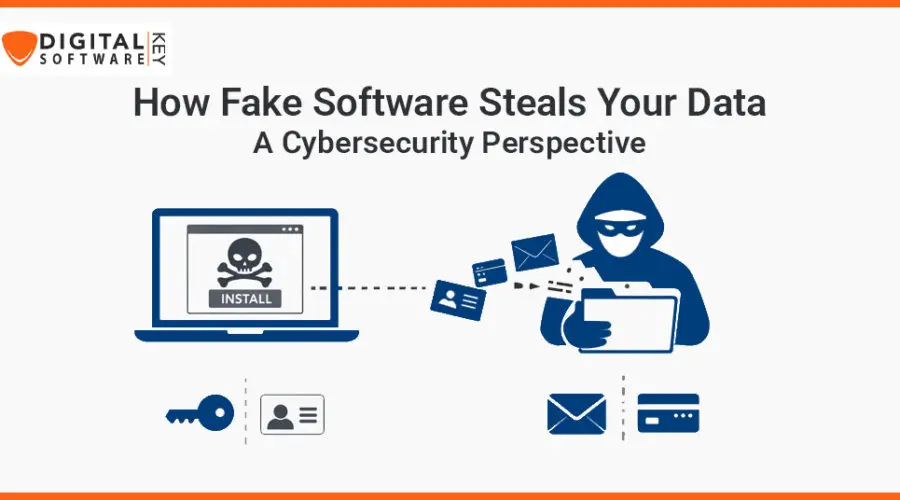
Fake software steals your data without you knowing. These programs seem real. But they only want your personal information. Criminals create them to trick users. They look like useful apps. But they actually spy on you. Once installed, they steal your passwords. They copy your files. They report everything back to a hacker.
Most people don’t notice the risk. They think they are safe. But these fake tools are powerful. They can act like antivirus software. They can pretend to update your system. Some even claim to fix problems. But instead of fixing anything, they spy.
In this guide, you’ll learn much more. You will see how fake software steals your data. We’ll also look at how it spreads. From social media to emails, fake software hides everywhere. We will show you how hackers use tricks to trap users. You will know what to avoid.
Get ready for a deep dive into cybersecurity. Discover real dangers and how to fight them. Let’s get started.
What Is Fake Software?
Fake software is software that lies. It looks helpful, but isn’t. It promises good results. But it causes damage. Fake software steals your data in many ways. Some come as games. Some come as tools or system updates. Others act like antivirus programs.
These tools don’t help you. They help hackers who made them. Cybercriminals use fake programs to gain access. Once installed, fake software steals your data quietly. And you never know it’s happening. Your photos, passwords, and even banking info can get exposed.
Many times, fake software uses free offers. You may see ads like “Free Cleaner Tool” or “100% Antivirus Free”. These ads trick you into downloading the app. Soon, the fake software starts to collect your information.
Hackers build fake tools to look very reliable. You may think they are from a trusted brand. But once you click on “install”, you let them in. You’re giving permission without even knowing it. That’s how fake software steals your data so easily today.
How Fake Software Infects Your Device
Fake software infects your device fast. Mostly, you download it by mistake. Often it comes from websites, popups, or email links. Once downloaded, your device is at risk.
Usually, this software asks for access. It wants to read your data. It could ask to access media, contacts, or apps. You allow it without reading details. And that’s when things start to go wrong.
This trick works on phones, tablets, and laptops. Even smart TVs aren’t safe today. As soon as you allow access, it copies your details. Your login information can be stolen. Your saved messages are leaked. Fake software steals your data in full.
Sometimes, you don’t even install it. Some devices get infected just by opening a link. If that link is designed well, the malware activates. It stays in the background. You may never see it. But it keeps collecting everything you type.
This is how dangerous fake software is. It spreads quietly and works fast. That’s why protecting your devices is very important. Always check sources before downloading anything.
Common Tricks Fake Software Uses
Fake software steals your data using tricks. The first trick is called “social engineering”. This means they play with your mind. They make it look urgent. You may see messages like “Your system has a virus” or “Urgent Update Required”.
These alerts force you to act fast. You click without thinking. That’s mistake number one. Fake software uses fear to fool you. It tells you lies like “You won a prize” or “Your files are at risk.” These lies lead you to install dangerous apps.
Another trick is fake reviews. Hackers create fake ratings. They post comments that say “This is the best software ever.” This makes people trust them more. But all those reviews are fake.
Sometimes, hackers use well-known names. They copy logos from real companies. You may think it’s Microsoft or Adobe. But it’s fake software under their name.
That’s how fake software steals your data. It hides in plain sight. It uses clever tricks. It pushes you to act without thinking. Be careful when downloading anything today.
How Fake Software Steals Your Data
The main goal of fake software is to steal. Once inside your system, the software starts scanning. It looks for passwords, files, and personal info.
It watches what you do. It can take screenshots or open your mic. It records your activity quietly. The software then sends your data to the hacker. This all happens in the background.
It can also track your location. It reads your messages. That’s how fake software steals your data. And it doesn’t stop there. The program may download more spy tools. It updates itself without asking.
Fake software changes your system settings. It adds new startup files. So, it runs every time you turn on your device. You can’t stop it easily. And some software blocks real antivirus tools.
Fake software also accesses saved cards and banking apps. And it knows when to strike. For example, right when you open a payment app. Then it copies your card or login details. That’s why being alert is key.
Top Signs You Installed Fake Software
Fake software often hides well. But some signs give it away. First sign is slow speed. Your phone or laptop gets slower. Apps hang more.
Popups appear often. They ask you to upgrade or buy features. That’s a trap. Don’t fall for it. You may also see unknown apps installed. You don’t remember putting them there.
Your battery drains quickly. Fake software steals your data using power. It runs in the background all day. That’s why your phone heats up.
Your browser homepage may change. New toolbars show up. Fake software installs browser hijackers too. These guide you to unsafe sites.
Another sign is lots of data usage. Even if you’re not downloading anything, your data runs high. That’s because fake software is sending your info back to hackers.
Always keep an eye on these signs. If any appear, run a scan. That could save your private data before it’s too late.
Real-Life Examples of Fake Software Attacks
Many stories prove how fake software steals your data. In 2020, a fake COVID tracking app collected personal data. People trusted it during the crisis. Hackers took full advantage.
Another case involved a fake photo editing app. It asked for full access. It stole images, chats, and location history. Over a million users were affected.
One shocking case came from a fake banking app. It looked exactly like the original. But it sent users’ login details to hackers. Many people lost money.
Hackers even used fake Adobe and Microsoft tools once. Victims thought they were updating old versions. But they installed malware that copied folders and passwords.
This is real and happening today. Fake software steals your data daily. It doesn’t matter who you are. Hackers don’t care. They target big companies and normal users alike. Always check app sources.
Social Media and Its Role in Fake Software
Social media is full of fake software traps. Hackers use ads and posts to trick users. They may offer a free tool or update. The download link often leads to malware.
They also use fake influencer accounts. These profiles share links to bad software. Many followers trust the content. They end up downloading harmful apps.
Fake giveaways are another common trick. A post may say, “Win a PS5 – download this app.” But it’s just a trap. Once installed, fake software steals your data silently.
Hashtags and trending topics help hackers. They tag posts to reach more users. Especially during events like Black Friday or Cyber Monday.
Watch out when browsing social media. Don’t click on suspicious links. Always visit official websites to download tools. That’s how you stay secure.
How Hackers Distribute Fake Software
Hackers distribute fake software in many ways. One way is fake websites. These sites may look real but aren’t. They host unsafe files.
Email is another method. The email looks like it’s from your bank or a service you use. It may say, “Click to update.” The link takes you to malware.
Hackers also use file-sharing platforms. These include torrents or cracked software hubs. Using these is risky. Most files are full of malware.
Sometimes, even app stores have fake software. Google Play and Apple App Store have removed many bad apps over the years. But some still slip through.
Always use known and verified places to get software. That’s one sure way to block danger. Fake software steals your data when you trust the wrong sources.
The Role of Phishing in Fake Software
Phishing is a key tool hackers use. They send fake emails or SMS messages. These often contain links. These links open malware pages. You may be told to download or log in.
The page looks just like your bank or a known site. Once you log in, the hacker gets your info. This is also how fake software steals your data.
Some phishing emails ask you to download a document or app. But it’s not a real file. It places a hidden program in your system. This data thief works silently.
Always read the sender’s email. Look for grammar mistakes. Most phishing emails have errors. Never download anything from unknown sources.
Use email filters and antivirus protection. These tools help detect phishing attempts. Stay alert. It only takes one click to lose control of your data.
How to Stay Protected from Data Theft
Protecting yourself is possible. You must stay alert. Only use trusted software. Never download from unknown sources. Don’t believe popups offering fixes.
Use good antivirus tools. Choose ones that scan real-time. Also, update your apps often. Updates block known attacks.
Avoid clicking on suspicious links. Don’t fall for free offers found on unknown sites. Use strong passwords. Use two-step login where possible.
Install a firewall. Block unknown apps from sending data. Monitor your data usage. Sudden changes mean danger. Always read app permissions. Don’t let apps access everything.
The more careful you are, the safer your data is. Fake software steals your data when you don’t notice. So always stay aware.
Best Antivirus Tools to Detect Fake Software
Some antivirus tools work well. They help prevent data theft. Norton, Kaspersky, and Bitdefender are top choices. They detect fake software fast.
Malwarebytes and Avast are other good picks. They scan apps and websites. They block unsafe links too.
Use antivirus with real-time scanning. This means it checks every app during install. Also, use one that updates daily. New viruses come out each day.
Use security tools on all devices. Install them on phones too. Not just on PCs. Most fake software today attacks phones first.
Don’t rely on free tools only. Invest in premium security. Fake software steals your data in smart ways. Free tools may miss them.
Legal and Financial Risks of Fake Software
Using fake software puts you at risk. You may lose your bank info. Your credit can get damaged. Hackers may also sell your data.
There are also legal risks. Some fake software breaks copyright laws. If found, you may get fines.
When fake software steals your data, it can lead to big troubles. Your ID may be copied. Someone may file loans using your name.
Financial recovery is hard. Many never get their stolen money back. You may also face a data breach fine. If you run a business, it’s even worse.
Stay on the legal side. Use real software only. Don’t try cracks or mods. They are common entry points for malware.
Why Choose DigitalsoftwareKey for Safe Software
DigitalsoftwareKey gives you safe software. All tools are 100% verified. No fakes. No malware.
You get genuine licenses. Everything is updated and legal. You also get full customer support. That means someone helps if you face any issue.
Fake software steals your data through bad sources. So, always choose trusted sellers. DigitalsoftwareKey offers safe downloads with excellent pricing.
You can find software for Windows or Mac. Whether it’s MS Office or Antivirus—everything is original.
Visit DigitalsoftwareKey for deals. Stay safe and protect your device. Fake Software Steals Your Data
Conclusion: Stay Smart, Stay Safe
Fake software steals your data every single day. It hides in free apps. It hides on fake sites. Hackers are using smarter tools now. And they use every way possible to get your info.
You’ve now learned what fake software is. You also know how it spreads. You’ve seen real-world damage and common tricks. You know how to spot fakes now. Also, you’ve got tools to protect yourself.
So, stay alert. Don’t install just anything. Check every app you download. Use antivirus and only trust verified sellers. One click is all it takes to lose control.
Remember—fake software steals your data before you even notice. Be smarter than the hackers. Stay safe and protect what’s yours.
FAQ’s
1. How does fake software steal my data?
Fake software hides in your device. It then collects things like passwords, files, messages, and sends them to hackers.
2. Can antivirus protect me from fake software?
Yes. A strong antivirus scans and blocks fake software. But keep it updated to handle new threats.
3. What are signs I installed fake software?
Your system may slow down. You may see popups, quick battery drain, or unknown apps. These are signs.
4. Can I delete fake software myself?
Sometimes. But advanced fake software hides deep. You may need expert help or special tools.
5. Are free apps always dangerous?
Not all. But many free apps can be fake. Always check reviews, permissions, and sources.
15 thoughts on “How Fake Software Steals Your Data: A Cybersecurity Perspective”
Comments are closed.