Windows 10 Pro vs Windows 7 Pro: 7 Must-Know Facts

Introduction
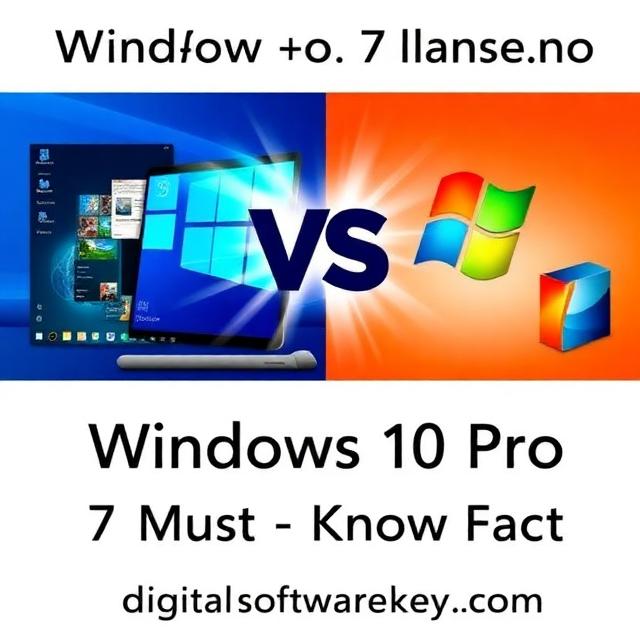
Choosing the right operating system is a big decision. Many people still love Windows 7 Pro. It was simple, fast, and reliable. However, technology moves forward. Windows 10 Pro offers many new features. It also provides better security. So, which one should you pick? This article will help you decide. We will compare Windows 10 Pro vs Windows 7 Pro in seven key areas. Therefore, you will know all the facts. Consequently, you can make a smart choice for your computer. Let us dive into this detailed comparison of Windows 10 Pro vs Windows 7 Pro.
Fact 1: Security Updates and Support
Windows 7 Pro No Longer Gets Security Updates
Security is the most important factor. Windows 7 Pro is no longer supported by Microsoft. The official support ended on January 14, 2020. This means no more security updates. Consequently, your computer is at risk. Hackers love to target old systems. They find new vulnerabilities every day. Without updates, your data is not safe. In fact, after support ended, the risk of virus attacks increased significantly. Therefore, using Windows 7 Pro today is like leaving your front door open. You might be okay for a while. However, it is only a matter of time before trouble finds you.
Windows 10 Pro Offers Ongoing Protection
Windows 10 Pro is actively maintained. It receives regular security patches. Microsoft provides these updates to keep you safe. Therefore, your system stays protected against new threats. Windows 10 Pro has built-in defenses. These include Windows Defender Antivirus and Windows Firewall. They work together to stop malware. Moreover, Windows 10 Pro uses Trusted Boot. This feature prevents malware from loading during startup. As a result, your computer is secure from the moment you turn it on. For businesses, this is crucial. Data breaches can be costly. Windows 10 Pro helps you avoid them. Clearly, when it comes to security in the debate of Windows 10 Pro vs Windows 7 Pro, the newer system wins easily.
Fact 2: Performance and Speed
Windows 7 Pro Runs Well on Old Hardware
Windows 7 Pro is known for its light footprint. It does not use many system resources. Therefore, it runs well on older computers. If you have an old machine with limited RAM, Windows 7 Pro might feel faster. It uses less memory in idle mode. However, this advantage is shrinking. Modern software demands more power. Windows 7 Pro struggles with new applications. Moreover, it lacks optimization for modern hardware. New processors and SSDs work better with Windows 10 Pro. Hence, performance depends on your specific hardware.
Windows 10 Pro Is Optimized for Modern Devices
Windows 10 Pro is built for today’s technology. It supports faster boot times. With the “Fast Startup” feature, it can boot up in about 39 seconds. In comparison, Windows 7 Pro takes around 58 seconds on similar hardware. This is a significant difference. Furthermore, Windows 10 Pro manages memory better. It uses a feature called “Storage Sense” to clean up temporary files. This keeps your system running smoothly over time. On modern hardware with an SSD, Windows 10 Pro feels snappy and responsive. It also supports newer processors and more RAM. So, if you have a recent computer, Windows 10 Pro will outperform Windows 7 Pro. The comparison of Windows 10 Pro vs Windows 7 Pro in terms of speed clearly favors the newer OS on current hardware.
Fact 3: Software and Application Compatibility
New Software Is Dropping Support for Windows 7 Pro
Software compatibility is a major issue. Many new programs no longer support Windows 7 Pro. For instance, Office 365 stopped supporting Windows 7 in 2023. Similarly, the latest versions of Chrome and Edge require Windows 10. Gaming platforms like Steam are also ending support. This trend will continue. Developers want to use new features. These features are only available in Windows 10 Pro. Therefore, staying on Windows 7 Pro means losing access to new software. You will be stuck with old versions. Eventually, even those will stop working. This is a huge drawback.
Windows 10 Pro Supports Almost Everything
Windows 10 Pro is highly compatible. It runs 99% of Windows 7 applications. This means most of your old software will still work. At the same time, it supports all the latest programs. You can use the newest Office suite. You can run the latest games. Moreover, Windows 10 Pro supports DirectX 12. This is essential for modern gaming and graphics. Windows 7 Pro only supports older DirectX versions. Hence, you miss out on better visuals and performance. For business users, compatibility with new peripherals is also important. Windows 10 Pro works with most wired and wireless devices. Thus, when considering Windows 10 Pro vs Windows 7 Pro for software, Windows 10 Pro is the clear winner.
Fact 4: Business and Professional Features
Windows 7 Pro Has Basic Business Tools
Windows 7 Pro included some business features. It had Remote Desktop and basic networking tools. However, these features are now outdated. They lack the security and functionality of modern tools. For example, BitLocker was available in Windows 7 Pro. But it was not as advanced. Moreover, managing multiple devices was difficult. IT administrators had limited options. Therefore, businesses using Windows 7 Pro face many challenges. They cannot easily manage their fleet of computers. They also struggle with security compliance. In short, Windows 7 Pro is no longer suitable for professional use.
Windows 10 Pro Is Packed with Advanced Features
Windows 10 Pro is designed for business. It includes BitLocker device encryption. This protects your data if your device is lost or stolen. Additionally, it offers Windows Hello. This allows password-free sign-in using your face or fingerprint. It is both secure and convenient. Furthermore, Windows 10 Pro has great management tools. IT admins can use Windows Update for Business. This gives them control over updates. They can schedule updates to avoid disruptions. As a result, businesses save time and money. In fact, IT administrators estimate up to 20% reduction in management time with Windows 10 Pro. This is a huge benefit. For professionals, the choice in Windows 10 Pro vs Windows 7 Pro is obvious. Windows 10 Pro provides the tools you need to succeed.
Fact 5: User Interface and Experience
Windows 7 Pro Offers a Classic and Simple Interface
Many users love the classic Start Menu of Windows 7 Pro. It is simple and straightforward. There are no distractions. You can find your programs easily. The interface is clean. It does not have many animations or modern fluff. For some people, this is perfect. They know exactly where everything is. Therefore, they feel comfortable. However, this simplicity comes at a cost. The interface lacks modern features. You cannot pin live tiles. You do not get quick access to notifications. As a result, the experience feels dated. It is like using an old car. It gets you where you need to go. But it lacks modern comforts.
Windows 10 Pro Combines Familiarity with Modernity
Windows 10 Pro brings back the Start Menu. But it adds new features. You get live tiles for quick information. You have a notification center on the right. This keeps you updated. The interface is also more customizable. You can resize tiles and arrange them as you like. Moreover, Windows 10 Pro supports virtual desktops. This is great for multitasking. You can have separate desktops for work and personal use. The Task View button makes switching between them easy. Additionally, Windows 10 Pro works well with touchscreens and pens. This is useful for modern devices. So, while it is different from Windows 7 Pro, it is more powerful and flexible. The user experience in Windows 10 Pro vs Windows 7 Pro ultimately depends on your preference, but Windows 10 Pro offers more functionality.
Fact 6: Hardware Support and Drivers
Windows 7 Pro Struggles with New Hardware
Hardware support is a growing problem for Windows 7 Pro. New processors and devices often lack drivers for it. For instance, Intel’s newer processors do not officially support Windows 7. This means you cannot install it on a new PC. Even if you could, many features would not work. Similarly, new printers and scanners may not have drivers. Therefore, you are limited to older hardware. This is a big issue if you need to upgrade your computer. You cannot take advantage of new technology. Your system becomes obsolete. In the long run, this costs you more money and time.
Windows 10 Pro Supports the Latest Technology
Windows 10 Pro is built for modern hardware. It supports the latest processors, including those with TPM 2.0. It also works with the newest graphics cards and storage devices. Furthermore, driver support is excellent. Manufacturers prioritize Windows 10 Pro. They release drivers quickly for new devices. Therefore, you can use the latest peripherals without issues. Windows 10 Pro also handles more memory and power better. This is crucial for high-performance tasks. If you buy a new computer, it will almost certainly come with Windows 10 Pro. Thus, for hardware compatibility, the comparison of Windows 10 Pro vs Windows 7 Pro strongly favors the newer system.
Fact 7: Cost and Upgrade Path
Upgrading from Windows 7 Pro Costs Money
Microsoft no longer offers free upgrades from Windows 7 Pro. The free upgrade period ended years ago. Therefore, you need to purchase a new license. This can be an expense. However, it is a worthwhile investment. You are paying for security, performance, and peace of mind. Moreover, sticking with Windows 7 Pro can be more expensive in the long run. You risk data breaches and compatibility issues. These can cost you far more than a new license. So, while there is an upfront cost, it is a smart financial decision.
Windows 10 Pro Is Affordable and Accessible
You can buy a genuine Windows 10 Pro license easily. One trusted source is Digitalsoftwarekey. They offer legitimate licenses at great prices. By purchasing from Digitalsoftwarekey, you get a genuine product. This ensures you receive all updates and support. Additionally, the upgrade process is straightforward. You can do it yourself. Or you can get help from a professional. Either way, the benefits outweigh the costs. Remember, Windows 10 Pro will keep you secure and productive. Therefore, do not delay your upgrade. Make the switch today. When you evaluate the cost in the Windows 10 Pro vs Windows 7 Pro debate, Windows 10 Pro offers better value for your money.
Conclusion
In conclusion, the comparison of Windows 10 Pro vs Windows 7 Pro reveals a clear winner. Windows 7 Pro is a classic. It served us well for many years. However, it is now outdated. It lacks security updates. It does not support new software. And it struggles with modern hardware. On the other hand, Windows 10 Pro is modern, secure, and powerful. It offers ongoing support. It runs the latest applications. And it works perfectly on new devices. Therefore, upgrading is the smart choice. It protects your data and boosts your productivity.
Do not wait until it is too late. Make the switch to Windows 10 Pro now. Visit Digitalsoftwarekey to get your genuine license today. Protect your computer and enjoy all the benefits of a modern operating system. The choice between Windows 10 Pro vs Windows 7 Pro is clear. Choose security, performance, and peace of mind. Choose Windows 10 Pro.
Frequently Asked Questions (FAQs)
1. Is Windows 10 Pro better than Windows 7 Pro?
Yes, Windows 10 Pro is better in almost every way. It offers superior security, better performance on modern hardware, and supports new software. Windows 7 Pro is no longer supported and is unsafe for daily use.
2. Can I still upgrade from Windows 7 Pro to Windows 10 Pro for free?
No, the free upgrade offer ended years ago. You now need to purchase a genuine license. You can buy one from trusted retailers like Digitalsoftwarekey.
3. Will my old programs work on Windows 10 Pro?
Yes, Windows 10 Pro is compatible with 99% of Windows 7 applications. Most of your old software will run without any issues. However, always check with the software vendor for specific compatibility.
4. How long will Windows 10 Pro be supported?
Windows 10 mainstream support ended in October 2025. However, eligible devices can get Extended Security Updates (ESU) until October 2026. It is advisable to plan for a future upgrade to Windows 11 eventually.
5. Which is faster, Windows 10 Pro or Windows 7 Pro?
On older hardware with limited RAM and a mechanical hard drive, Windows 7 Pro might feel slightly faster. However, on modern hardware with an SSD and sufficient RAM, Windows 10 Pro is faster, with quicker boot times and better multitasking performance.