Windows 11 Education License Keys for Schools & Colleges

Getting the right operating system is a big deal. It is the foundation of your computer. For students and teachers, the choice is clear. You need a powerful, secure, and affordable system. That is why Windows 11 Education is so perfect. This guide explains everything about Windows 11 Education License Keys. We will talk about what they are. We will talk about how to get them. And we will discuss why you need them. The goal is to help every school and college make a smart choice. We will also show you a great place to find these keys. That place is Digitalsoftwarekey. Get ready for a complete deep dive into this amazing software.
What is Windows 11 Education?
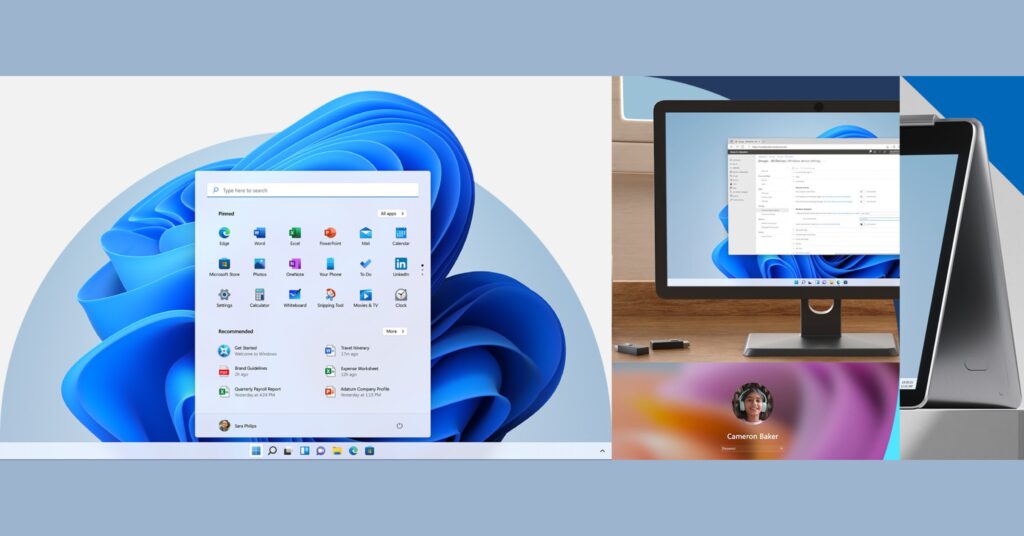
It is a special version of Windows. Microsoft made it for schools and students. It is not the same as the Home edition. It is closer to the Enterprise edition. This means it has top-level features. The security is very strong. The management tools are very advanced. All these features come at a very low cost. Often, it is even free for students. The power of Windows 11 is combined with academic pricing. It gives you a professional-grade OS. You can handle any school project with ease. You can stay safe from online threats. It is the smartest choice for learning environments .
Why Choose Windows 11 Education?
There are many reasons to choose this edition. First, it comes with all the core features. You get the new design. You get great multitasking tools. You also get advanced security. This security is a big deal. It protects your data from malware. It also protects against ransomware. Schools hold a lot of private data. They need strong protection. This OS provides that protection. It gives you peace of mind.
Second, it has tools for teaching. It supports a distraction-free environment. It often has games removed by default. This keeps the focus on learning. It also includes accessibility tools. Features like Narrator help students with disabilities. It works well with Microsoft Teams. This makes remote learning easy. It is a complete package for education.
The Big Difference: Home vs. Pro vs. Education
Many people wonder about the differences. The Home edition is for casual users. It is fine for basic tasks. But it lacks advanced security. It lacks management features. The Pro edition is for small businesses. It has BitLocker encryption. It has Hyper-V for virtual machines. It also has domain join features.
The Education edition is like the Pro edition. But it has enterprise-level features. It has the same security as the Enterprise version. It also has a special price for schools. It is often cheaper. Or it is completely free. It is the best of both worlds. You get premium features. You get an academic price. You cannot beat this combination. The Windows 11 Education License Keys unlock this full potential.
How Do Educational Institutions Get Licenses?
Schools and colleges have several options. They can use volume licensing. This is for large purchases. It is managed by the IT department. They can also use Microsoft 365 Education. Many schools already have this. It often includes Windows licenses. The most common path is Azure Dev Tools for Teaching . This program gives students free access. Students just need to verify their enrollment. Then they can get a key.
The Role of Azure Dev Tools for Teaching
This is the key for most students. Microsoft offers this program to schools. The school signs up. Then they can offer software to students. This includes Windows 11 Education. It also includes development tools. The student uses their school email. They go to a specific portal. They can then download the software. They can also get their product key. It is a very simple process .
Steps for Students to Get Their Key
Here is how a student gets a key. First, go to the verification page. Use your school email address. Complete the verification process. Once done, go to the software tab. Search for Windows 11 Education. You will see a “View Key” button. Click it. That is your Windows 11 Education License Key . Write it down. Keep it safe. You can also download the ISO file there. This file lets you install the OS.
What Do You Get with the Education Edition?
You get a lot of powerful features. First, there is BitLocker. This protects your files with encryption. If your laptop is lost, your data is safe. Second, there is Hyper-V. This lets you run virtual machines. This is great for tech students. Third, there is Windows Sandbox. This lets you test apps safely. Fourth, you get Remote Desktop. You can connect to your PC from anywhere. Finally, you get Microsoft 365 Education. This often comes bundled with the license. You get Word, Excel, and Teams for free . This saves you a lot of money.
Security Features Explained
Security is the biggest plus. The Education edition has enterprise-grade security. It uses advanced threat protection. It blocks viruses and malware. It also protects against phishing attempts. The firewall is more advanced. It gives IT admins more control. They can manage all devices from one place. They can push updates. They can enforce policies. This keeps the whole network safe. It is very important for campus security .
Management Tools for IT Admins
IT admins love this edition. It works with Group Policy. This lets them control user settings. It works with Mobile Device Management (MDM). This lets them manage smartphones and tablets. They can deploy apps to many devices at once. They can also manage updates. They can choose who gets updates first. This reduces network congestion. It also reduces help desk tickets. It makes their job much easier.
Are Windows 11 Education License Keys Free?
This is a common question. For eligible students, yes. Many universities offer it for free. The cost is covered by the school. The school pays Microsoft for the program. The student gets it as a benefit. However, this is not always the case. Some schools do not participate. Or they only offer it to certain departments. In that case, students need to buy it. Luckily, there are affordable options. This is where Digitalsoftwarekey comes in. They offer genuine keys at great prices.
The Student Verification Process
You need to prove you are a student. This is a requirement from Microsoft. You need a valid school email. This usually ends in “.edu”. You also may need proof of enrollment. This could be a student ID. It could be a class schedule. The verification is quick. It happens through Microsoft’s portal. It ensures only eligible people get the free license. It is a straightforward check. You need to pass this to get your key .
What if My School Doesn’t Offer It?
Do not worry. You still have options. You can buy a key from a verified reseller. Digitalsoftwarekey is a trusted source. They sell Windows 11 Education License Keys. These keys are genuine and legal. They are often much cheaper than retail. Buying from them is safe and easy. It is a great alternative if your school does not offer it. You still get all the great features. You just pay a small fee for them.
How to Activate Windows 11 Education
Activation is very easy. You just need your key. After installing Windows, go to Settings. Go to System. Then go to Activation. Click “Change product key”. Enter your Windows 11 Education License Key. Click Next. The system will verify the key. It will activate your copy of Windows. That is all it takes. Your PC will now be fully unlocked. You can enjoy all the features.
Upgrading from Home to Education
You can upgrade from Home to Education. You do not need to reinstall everything. Just enter the Education key. Go to Settings > System > Activation. Enter the new key. The system will upgrade automatically. It will keep all your files and apps. This is very convenient. It saves a lot of time. However, you need a valid Windows 11 Education License Key. You must have this key to start the process .
Clean Installation Guide
A clean install is better for performance. It removes all old files. It starts you fresh. You need to create installation media. You can use a USB drive. Microsoft provides a tool for this. Boot from the USB drive. Follow the on-screen instructions. When prompted, enter your key. The installation will finish. It will be a clean, new system. This is the best way to install the OS. It prevents issues from old software.
Long-Term Use and License Validity
A big concern is what happens after graduation. Can you keep using it? The answer is often yes. The license is usually perpetual. It does not expire. You can keep using it after you graduate. This is very generous. It allows you to keep your PC secure. It also saves you money. You do not have to buy a new OS. You keep the powerful Education edition. However, there are exceptions. Some volume licenses are subscription-based. Check your school’s policy. But usually, you get to keep it.
License Types: Perpetual vs. Subscription
There are two main types of licenses. Perpetual licenses are permanent. You pay once. You own it forever. This is what students usually get. It is called a “Student Use Benefit” license. Subscription licenses are temporary. You pay monthly or yearly. You lose access if you stop paying. Schools use this for lab computers. They manage it through Microsoft 365. For students, perpetual is more common. This is good news.
Addressing Common Myths About Education Keys
Some people think these keys are limited. They think the features are weaker. This is false. The features are almost identical to Enterprise. They are much better than Pro. Some think installation is hard. It is actually very easy. The process is guided by a wizard. Some think they need IT help. You can do it yourself. All you need is the key and the installer. The process is very user-friendly.
Is It Legal to Buy a Key Online?
Yes, it is legal. You just need to buy from a reputable source. Digitalsoftwarekey sells genuine keys. They work with authorized distributors. They provide legal, valid licenses. You get the same product. You get the same updates. It is the best way to buy a key. It is safe and secure. You do not have to worry about piracy.
Risks of Using Unofficial Keys
Using unofficial keys is risky. They can be stolen or fake. They might stop working. You could be left with an unlicensed system. You also miss out on updates. This leaves you vulnerable to security threats. It is not worth the risk. Always buy from a trusted source. It protects your data and your device. It also provides peace of mind. A genuine key is a small price to pay for security.
Top Features of Windows 11 Education
Let’s list the standout features. First is the user interface. It is clean and modern. It is easy to navigate. Second is Snap Layouts. This helps you multitask. You can arrange windows perfectly. Third is Widgets. This gives you quick information at a glance. Fourth is Teams integration. This is built right into the taskbar. Fifth is the Microsoft Store. It has many educational apps. It is also safe and curated. All these features are included .
Productivity and Collaboration
The OS makes collaboration easy. Teams is always accessible. You can chat with classmates instantly. You can share files easily. You can even share your screen. This helps with group projects. Microsoft Whiteboard is also included. You can brainstorm ideas visually. This is a great tool for classes. The OS is designed to help you work together .
Why Digitalsoftwarekey is the Best Choice
We highly recommend Digitalsoftwarekey. They offer authentic licenses. They have excellent customer support. Their prices are very competitive. You get instant delivery via email. You can activate your product immediately. You can trust them for your software needs. They have a great reputation. They are a leader in the digital software market.
Digitalsoftwarekey provides a smooth shopping experience. They ensure you get a genuine key. You avoid the hassle of student verification. You get the key instantly. This is perfect for people who need it right away. It is a simple, reliable solution. Make the smart choice for your education.
Conclusion
The Windows 11 Education License Keys are a fantastic asset for learning institutions. The Education edition offers enterprise-level security. It offers powerful management features. It also includes great collaboration tools. It is the best OS for students and teachers. Some students can get it for free. Others can buy it at a great price. Always choose a legitimate provider. This ensures your system is
Getting the right operating system is a big deal. It is the foundation of your computer. For students and teachers, the choice is clear. You need a powerful, secure, and affordable system. That is why Windows 11 Education is so perfect. This guide explains everything about Windows 11 Education License Keys. We will talk about what they are. We will talk about how to get them. And we will discuss why you need them. The goal is to help every school and college make a smart choice. We will also show you a great place to find these keys. That place is Digitalsoftwarekey. Get ready for a complete deep dive into this amazing software.
What is Windows 11 Education?
It is a special version of Windows. Microsoft made it for schools and students. It is not the same as the Home edition. It is closer to the Enterprise edition. This means it has top-level features. The security is very strong. The management tools are very advanced. All these features come at a very low cost. Often, it is even free for students. The power of Windows 11 is combined with academic pricing. It gives you a professional-grade OS. You can handle any school project with ease. You can stay safe from online threats. It is the smartest choice for learning environments .
Why Choose Windows 11 Education?
There are many reasons to choose this edition. First, it comes with all the core features. You get the new design. You get great multitasking tools. You also get advanced security. This security is a big deal. It protects your data from malware. It also protects against ransomware. Schools hold a lot of private data. They need strong protection. This OS provides that protection. It gives you peace of mind.
Second, it has tools for teaching. It supports a distraction-free environment. It often has games removed by default. This keeps the focus on learning. It also includes accessibility tools. Features like Narrator help students with disabilities. It works well with Microsoft Teams. This makes remote learning easy. It is a complete package for education.
The Big Difference: Home vs. Pro vs. Education
Many people wonder about the differences. The Home edition is for casual users. It is fine for basic tasks. But it lacks advanced security. It lacks management features. The Pro edition is for small businesses. It has BitLocker encryption. It has Hyper-V for virtual machines. It also has domain join features.
The Education edition is like the Pro edition. But it has enterprise-level features. It has the same security as the Enterprise version. It also has a special price for schools. It is often cheaper. Or it is completely free. It is the best of both worlds. You get premium features. You get an academic price. You cannot beat this combination. The Windows 11 Education License Keys unlock this full potential.
For a quick and easy purchase, think of Digitalsoftwarekey. They offer genuine keys at great prices. You do not need to wait for student verification. You get your key instantly. You can start enjoying the benefits of Windows 11 Education. This is a smart investment in your education. It boosts productivity and protects your data. Get your key today.
Frequently Asked Questions
Q1: Can a student use the Windows 11 Education License Key after graduation?
A1: Yes, in most cases. The standard student license is perpetual. You can continue to use it after you graduate. This is a huge benefit of the program.
Q2: Where do I find my Windows 11 Education License Key?
A2: You can find it on the Azure Dev Tools for Teaching portal. Use your school email to log in. Go to the software section. Click “View Key” for Windows 11 Education .
Q3: Is Windows 11 Education better than Windows 11 Pro?
A3: Yes, for features and security. It has most of the Enterprise features. It is more advanced than Pro. It also comes at a much lower academic price .
Q4: Can I buy a Windows 11 Education License Key if my school does not offer it?
A4: Yes, you can buy it from an authorized reseller. Digitalsoftwarekey is a trusted source. They provide genuine keys instantly.
Q5: Is the Windows 11 Education License Key the same as a volume license?
A5: Not exactly. Volume licenses are for schools to manage many devices. The student key is a specific license. It is often called a “Student Use Benefit” license. It is tied to the student’s account.